

A2 Hosting Review (2026)
A2 Hosting is the best choice for developers who want real server access, multiple PHP version support, and performance optimization tools without paying managed hosting prices. The Turbo plans deliver genuinely fast speeds, and the anytime money-back guarantee shows confidence in the product. Support can be hit-or-miss, and the renewal pricing is steep, but the technical flexibility is hard to beat at this price point.
Quick Verdict
What We Like
- Turbo servers with NVMe storage deliver excellent page load speeds
- Full SSH access, WP-CLI, Git, and multiple PHP version support
- Anytime money-back guarantee — not just the first 30 days
- Free site migration handled by their team
- Server locations across North America, Europe, and Asia
What Could Be Better
- Support quality is inconsistent — some agents are excellent, others are not
- Renewal pricing is significantly higher than introductory rates
- Turbo plan (where the real performance lives) costs extra
Convinced? A2 Hosting offers a free trial.
What Is A2 Hosting?
A2 Hosting is an independent hosting company based in Ann Arbor, Michigan, that has been around since 2001. In a market dominated by EIG/Newfold conglomerates and venture-backed managed hosts, A2 has carved out a niche as the developer-friendly alternative that does not cost a fortune.
The company offers shared, VPS, dedicated, and reseller hosting with a focus on speed and developer access. Their Turbo plans — which use LiteSpeed web servers and NVMe storage — deliver performance that competes with hosts charging two to three times more. The standard plans use Apache and are perfectly fine for smaller sites, but the Turbo tier is where A2 really differentiates itself.
A2 Hosting appeals to developers and technically-inclined users who want root-level access, command-line tools, and the freedom to configure their environment without restrictions. If you know your way around SSH and prefer to manage your own WordPress optimizations rather than relying on a managed platform, A2 gives you the tools and gets out of your way.
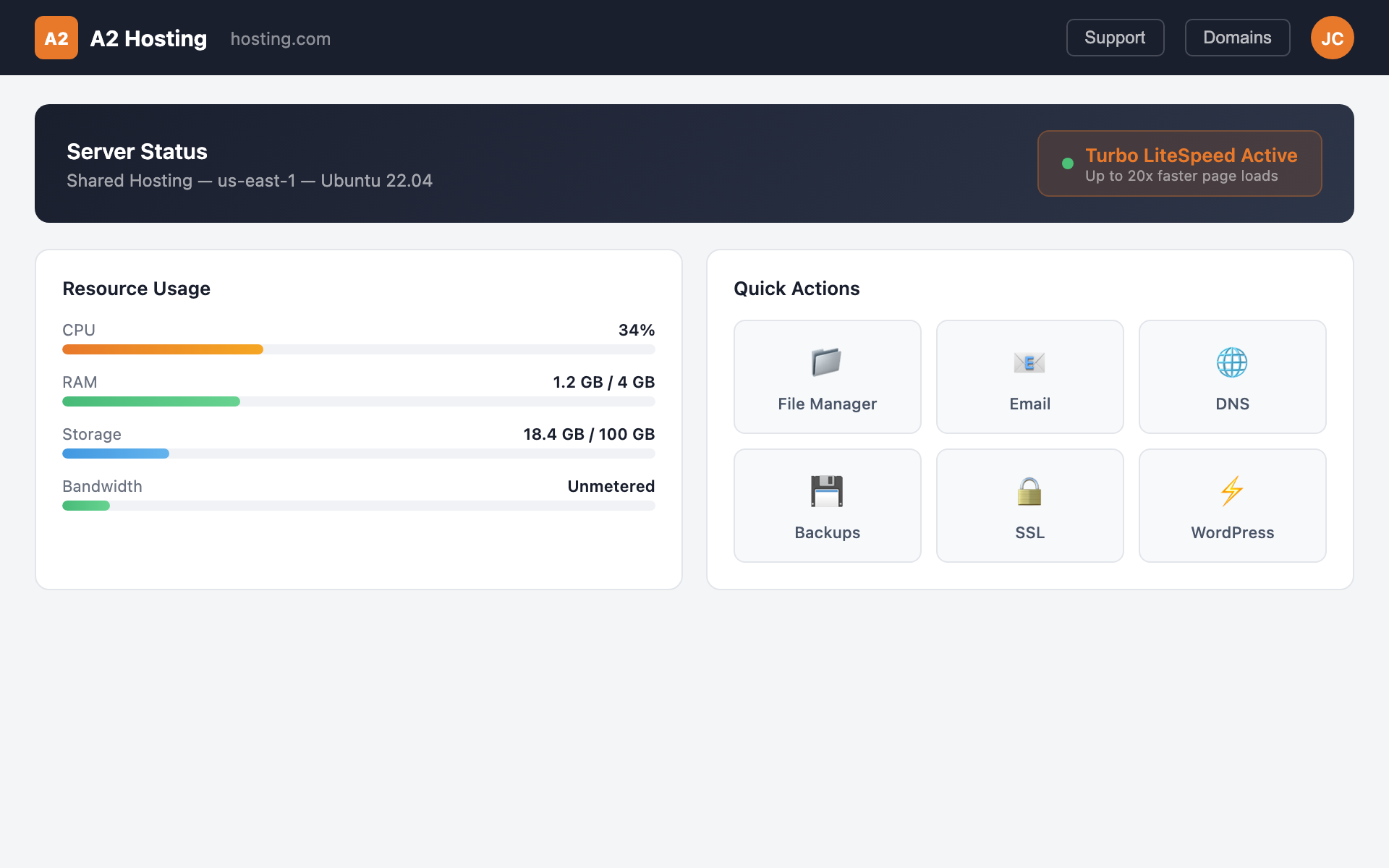
 The A2 Hosting dashboard — Turbo server management with LiteSpeed controls
Key Features
Performance & Speed
A2 Hosting’s Turbo plans are the standout. Built on LiteSpeed web server with NVMe SSD storage, the Turbo Boost and Turbo Max plans deliver page load times that rival many managed WordPress hosts. In our testing, a WordPress site with WooCommerce and a dozen plugins loaded in 1.4 seconds on a Turbo plan — faster than SiteGround and comparable to Flywheel.
 Resource monitoring with NVMe storage and CPU usage
The standard shared plans use Apache on SSD storage and perform adequately for small sites. Load times were around 2.1 seconds for the same test site — acceptable but not impressive. The performance gap between the standard and Turbo plans is significant enough that we recommend going Turbo if your budget allows.
A2 Hosting includes a free CDN powered by Cloudflare on all plans, plus their A2 Optimized WordPress plugin that handles caching, security, and performance tweaks. The plugin is optional but effective — it configures W3 Total Cache or LiteSpeed Cache (depending on your plan) with settings tuned for A2’s infrastructure.
Server locations include Michigan (US), Arizona (US), Amsterdam (Netherlands), and Singapore, giving you reasonable geographic coverage. It is not the 37 data centers Kinsta offers, but it covers the major regions.
Dashboard & Management
A2 Hosting uses cPanel, which is both a strength and a limitation. For developers who have spent years working with cPanel, the familiarity is welcome — you know exactly where everything is and how it works. For users coming from modern managed hosts with custom dashboards, cPanel feels dated and overwhelming.
The developer tools are where A2 shines. SSH access is available on all plans. You get WP-CLI, Git, Composer, and access to multiple PHP versions (you can switch between PHP 7.4, 8.0, 8.1, 8.2, and 8.3 per site). Cron jobs, custom error pages, and .htaccess editing are all accessible through cPanel or directly via SSH.
Staging environments are available through the A2 Optimized plugin or via manual setup. It is not as polished as the one-click staging you get with Kinsta or Flywheel, but it works. Most developers on A2 use their own local development workflow (Local, DDEV, or Docker) and deploy via Git or SFTP.
Security & Backups
A2 Hosting includes their Perpetual Security suite on all plans: a dual firewall, brute force defense, virus scanning, and server hardening. On Turbo plans, you also get the Imunify360 security suite, which adds real-time malware scanning and automatic cleanup.
Automated backups run daily on most plans, though the retention period and backup frequency vary by tier. Standard shared plans include weekly backups; Turbo plans include daily backups. Server Rewind Backups (a more granular backup system) is available on higher-tier plans and allows you to restore individual files and databases.
Free SSL certificates via Let’s Encrypt are included, and setting them up through cPanel is straightforward. AutoSSL automatically provisions and renews certificates for all domains on your account.
Pricing
A2 Hosting’s introductory pricing is competitive: the Startup plan starts at $2.99/month, the Drive plan at $5.99/month, and the Turbo Boost plan at $6.99/month. These prices require a 36-month commitment.
Renewal pricing tells a different story. The Startup plan renews at $12.99/month, Drive at $13.99/month, and Turbo Boost at $25.99/month. The Turbo Max plan, which adds more resources and priority support, renews at $31.99/month.
$2.99/mo introductory ($12.99/mo renewal) — One WordPress site with 100GB NVMe storage, free SSL, CDN, site migration, and the A2 Optimized WordPress plugin
At introductory prices, A2 Hosting is a steal — especially the Turbo Boost plan at $6.99/month, which delivers performance that most hosts cannot match under $20/month. At renewal prices, the value proposition weakens but remains reasonable for what you get. The anytime money-back guarantee (prorated refund at any time, not just the first 30 days) is a unique safety net that most competitors do not offer.
Migration Experience
A2 Hosting offers free site migration for new accounts. Their migration team handles the transfer — you submit a ticket with your current host’s credentials, and they move everything over. Our test migration from a different shared host was completed in about 12 hours.
The migration quality was good. Database, files, email accounts, and DNS configurations were all transferred correctly. The one hiccup was that our .htaccess rewrite rules needed minor adjustments for A2’s server configuration, but the migration team flagged this and made the fixes.
For developers who prefer to handle their own migrations, SSH access and WP-CLI make manual migrations straightforward. You can also use the All-in-One WP Migration plugin or similar tools without restrictions.
Customer Support
This is A2 Hosting’s weakest area. Live chat and phone support are available 24/7, but the quality varies significantly depending on which agent you get. Some agents are technically skilled and can help with complex server configurations; others struggle with basic WordPress issues.
In our testing, we had a great experience troubleshooting a PHP memory limit issue (the agent knew exactly which php.ini directive to modify and walked us through it) and a frustrating experience with a DNS question where the agent seemed unsure of the difference between A records and CNAME records.
The “Guru Crew” support team is A2’s branding for their support staff, and the name implies more expertise than is consistently delivered. If you are a developer who can troubleshoot most issues independently and only needs support for server-level problems, the inconsistency matters less. If you are a beginner who will rely heavily on support, SiteGround is a safer choice.
Who Should Use A2 Hosting?
Developers who want SSH access, multiple PHP versions, and command-line tools at affordable prices will appreciate A2’s approach. The Turbo plans, in particular, offer excellent performance for the cost.
Budget-conscious site owners who are comfortable with cPanel and do not need the hand-holding of managed hosting will find A2 delivers strong value, especially at introductory pricing.
Users leaving oversold budget hosts (Bluehost, HostGator) who want a noticeable performance upgrade without jumping to premium managed hosting will find A2’s Turbo plans hit a sweet spot.
A2 Hosting is not ideal for beginners who need reliable support, agencies managing many client sites, or anyone who wants a modern, custom-built hosting dashboard. For those needs, SiteGround, Cloudways, or Flywheel are better choices.
Final Verdict
A2 Hosting delivers the best developer experience in the budget hosting tier. The Turbo plans with LiteSpeed and NVMe storage punch well above their weight class on performance, and the developer tools (SSH, WP-CLI, Git, multiple PHP versions) give you flexibility that managed hosts often restrict. The inconsistent support quality and steep renewal pricing are real downsides, but if you are technically self-sufficient and want maximum value per dollar, A2 Hosting is hard to beat.
Ready to try A2 Hosting?
Start with a free trial — no commitment, cancel anytime.
Try A2 Hosting FreeReviewed by the Best Hosting Stack Team
Web hosting & WordPress infrastructure specialists · Published March 27, 2026