

Cloudways Review (2026)
Cloudways is the best managed cloud hosting option for agencies that need to juggle dozens of client sites without hiring a sysadmin. The server-level control is genuine, performance is excellent across all five cloud providers, and the pay-as-you-go pricing makes it easy to scale. The lack of email hosting and the occasionally sluggish support tickets are minor trade-offs.
Quick Verdict
What We Like
- Choose from five cloud providers (DigitalOcean, AWS, Google Cloud, Vultr, Linode)
- Genuine server-level access with managed stack optimization
- Built-in staging, cloning, and team collaboration tools
- Pay-as-you-go billing with no long-term contracts
- Excellent page load times across all provider options
What Could Be Better
- No email hosting included — you need a third-party service
- Support ticket response times can lag during peak hours
- UI has a learning curve compared to traditional cPanel hosts
Convinced? Cloudways offers a free trial.
What Is Cloudways?
Cloudways sits in a unique spot in the hosting market. It is not a cloud provider itself — it is a managed layer on top of five major infrastructure providers: DigitalOcean, AWS, Google Cloud Platform, Vultr, and Linode. You pick the provider, choose a server size, and Cloudways handles the stack optimization, security patches, and server management.
For agencies, this setup is a game-changer. Instead of maintaining separate accounts across different providers or wrestling with raw server configs, you get a single dashboard to manage every client site. Each application lives on its own isolated stack, so one client’s traffic spike does not torpedo another client’s performance.
The platform launched in 2012 and was acquired by DigitalOcean in 2022. Since the acquisition, the product has stayed largely independent — the interface, pricing model, and multi-cloud approach remain intact. If anything, the DigitalOcean backing has improved infrastructure reliability.
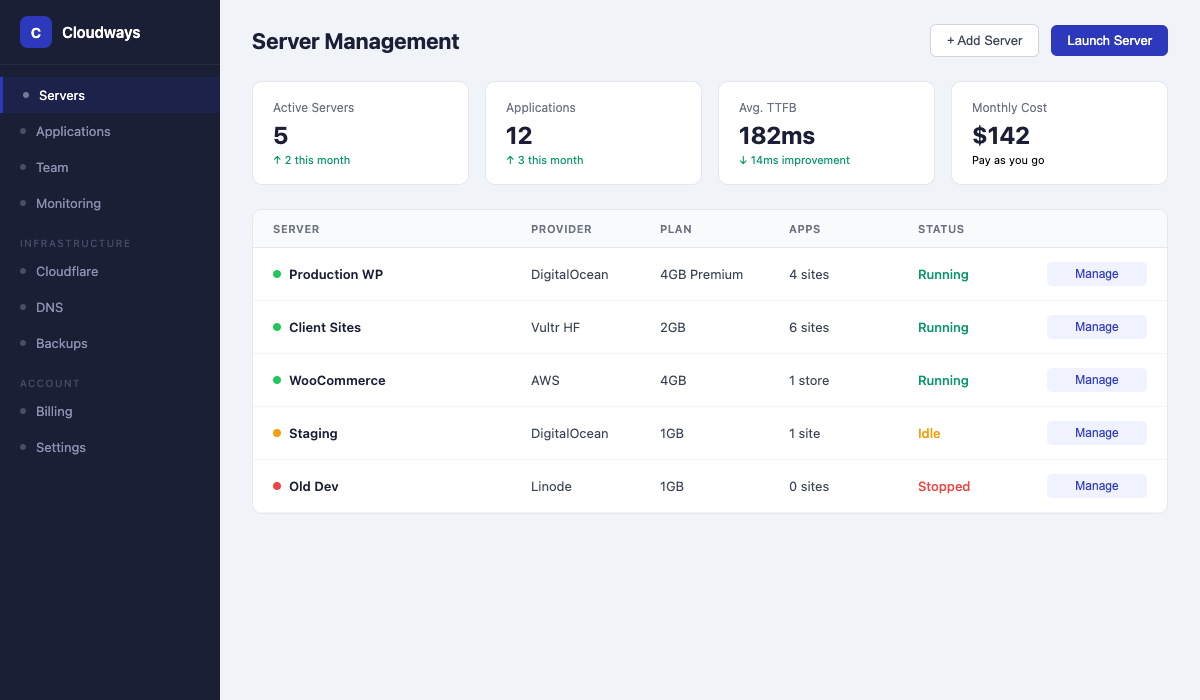 The Cloudways dashboard — Server management panel with multi-cloud provider options
Key Features
Performance & Speed
Cloudways uses a custom stack built on Apache, Nginx, Memcached, Varnish, and Redis. Out of the box, you get server-level caching that most managed WordPress hosts charge extra for. In our testing on a DigitalOcean 2GB server, a WooCommerce store with 500 products loaded in 1.2 seconds from the nearest data center — no page caching plugin needed.
The Breeze plugin (Cloudways’ free caching and optimization plugin) handles frontend caching, but honestly, the server-level Varnish cache does most of the heavy lifting. You can also configure Redis object caching per application, which makes a noticeable difference on database-heavy sites.
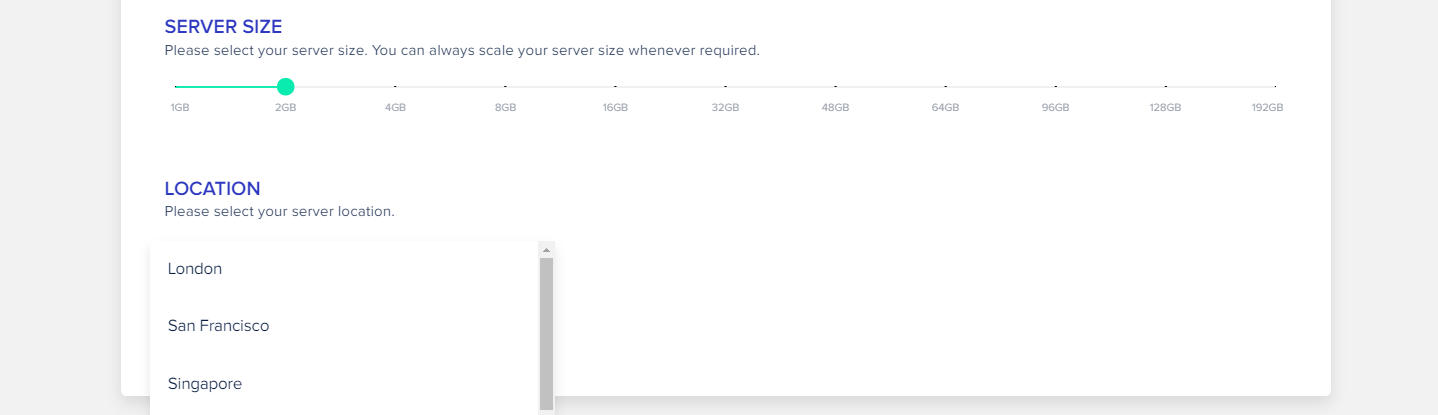 One-click staging and server cloning workflow
One thing worth noting: performance varies by cloud provider. DigitalOcean and Vultr tend to offer the best price-to-performance ratio for WordPress sites. AWS and Google Cloud are overkill for most agencies unless clients specifically require those platforms for compliance reasons.
Dashboard & Management
The Cloudways dashboard is server-centric rather than site-centric. You manage servers first, then the applications running on them. This takes some getting used to if you are coming from a cPanel or Plesk environment where everything revolves around domains.
Once you adjust, the workflow is actually more logical for agencies. You can spin up a staging environment in two clicks, clone entire applications between servers, and manage team access with granular permissions. The “Application Management” panel gives you SFTP credentials, database access, SSL management, and cron job configuration in one place.
The one frustration: there is no built-in domain registrar or DNS management. You handle DNS externally (Cloudflare, Route53, whatever you prefer). For agencies that want everything under one roof, this can feel like a missing piece.
Security & Backups
Automated backups run on a schedule you define — hourly, daily, or weekly. Restoring from a backup is straightforward, though restoring individual files (rather than a full application snapshot) requires going through SFTP.
On the security side, Cloudways includes a dedicated firewall, free SSL certificates via Let’s Encrypt, two-factor authentication, and IP whitelisting. They also rolled out Cloudways Bot Protection (powered by Malcare) as an add-on, though the base security layer is solid enough for most sites.
Pricing
Cloudways pricing is based on server resources, not the number of sites. A $14/month DigitalOcean server (1GB RAM, 1 core) can comfortably run two to three low-traffic WordPress sites. A $28/month server (2GB RAM) handles five to eight sites depending on traffic.
The pricing scales linearly — double the resources, roughly double the cost. There are no surprise overages, though bandwidth is metered on AWS and Google Cloud plans (unlimited on DigitalOcean, Vultr, and Linode).
Starting at $14/mo — A managed DigitalOcean server with 1GB RAM, 25GB SSD, and 1TB bandwidth — enough for 2-3 small WordPress sites
Premium add-ons include email via Rackspace ($1/mailbox/month), Cloudflare Enterprise CDN ($4.99/domain/month), and the Bot Protection add-on ($4.99/app/month). These add up if you are running dozens of sites.
Migration Experience
Cloudways offers a free migration plugin and one free migration handled by their team for each new account. The plugin works well for standard WordPress sites — we migrated a 3GB WooCommerce store in under 20 minutes. Multisite installs and sites with non-standard configurations (custom symlinks, unusual directory structures) may need the assisted migration.
The only hiccup we encountered was DNS propagation timing. Cloudways does not manage DNS, so you need to coordinate the cutover carefully. Their docs walk you through it, but if you have never pointed DNS records manually, expect a small learning curve.
Customer Support
Live chat is available 24/7, and the agents we interacted with were technically competent — not just script-readers. They can SSH into your server (with permission) and troubleshoot stack-level issues, which is rare among managed hosts.
Support tickets are a different story. During our testing, ticket response times ranged from 30 minutes to four hours. For agencies dealing with client emergencies, the live chat is the way to go. The ticketing system is better suited for non-urgent questions and feature requests.
Cloudways also maintains an active community forum and a decent knowledge base, though some articles are outdated and reference the pre-acquisition UI.
Who Should Use Cloudways?
Agencies with 10+ client sites will get the most value from Cloudways. The server-based pricing means you can consolidate sites efficiently, and the team management tools make it easy to hand off day-to-day maintenance to junior staff.
Developers who want cloud infrastructure without the DevOps burden will appreciate the balance of control and convenience. You get SSH access, Git integration, and the ability to customize the stack — but you do not have to manage security patches or server updates.
Budget-conscious freelancers can start with a $14/month DigitalOcean server and scale up only when they need to. No annual contracts means you are never locked in.
Cloudways is probably not the right fit if you need email hosting included, a visual site builder, or phone support. For simpler needs, SiteGround or Flywheel might be easier to manage.
Final Verdict
Cloudways earns its 4.7 rating by delivering genuine cloud performance at agency-friendly prices. The multi-cloud flexibility, server-level control, and scalable pricing make it the top choice for teams managing multiple WordPress sites. The learning curve is real but short, and the lack of email hosting is easily solved with a third-party provider. If you are an agency still running client sites on shared hosting, Cloudways is the upgrade that actually justifies the cost.
Reviewed by the Best Hosting Stack Team
Web hosting & WordPress infrastructure specialists · Published March 27, 2026