

Flywheel Review (2026)
Flywheel is managed WordPress hosting with a design-first mentality. The billing transfer feature, client-friendly demo sites, and beautifully designed dashboard make it the obvious pick for freelance designers and small creative agencies. Performance is solid if not chart-topping, and the WP Engine acquisition has brought stability without ruining the product's identity.
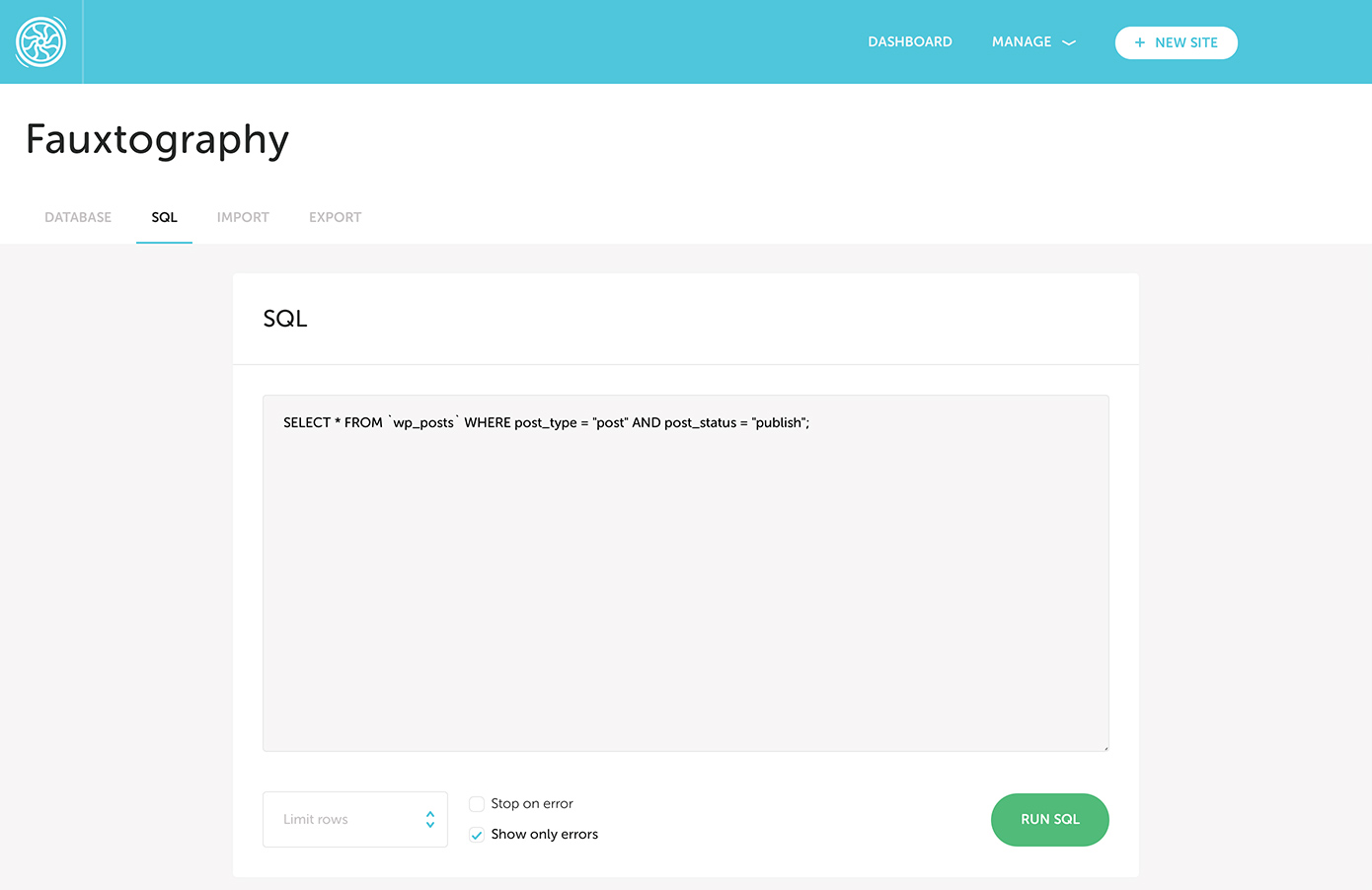
Quick Verdict
What We Like
- Billing transfer lets you build on your account and hand off hosting to clients
- Free demo sites for client presentations before going live
- Beautifully designed dashboard that is a pleasure to use
- Tight integration with Local development app
- Collaboration tools built for designer-client workflows
What Could Be Better
- Performance lags slightly behind Kinsta and Cloudways at similar price points
- Limited server locations compared to cloud-native competitors
- No email hosting or domain registration included
Convinced? Flywheel offers a free trial.
What Is Flywheel?
Flywheel is managed WordPress hosting designed specifically for creative professionals — web designers, freelance developers, and small agencies. Acquired by WP Engine in 2019, Flywheel has maintained its own brand, dashboard, and pricing while gaining access to WP Engine’s infrastructure and support resources.
What makes Flywheel different is not the technical specs (though those are fine) but the workflow it is built around. Flywheel assumes you are building WordPress sites for clients. Everything from the demo site feature to the billing transfer tool to the collaboration system is designed around the freelancer-to-client handoff that defines the web design business.
The platform runs on Google Cloud infrastructure (via the WP Engine acquisition) and includes the standard managed WordPress features: staging environments, free SSL, CDN, and automatic backups. But it wraps those features in a designer-friendly interface that feels more like a SaaS product than a hosting control panel.
 The Flywheel dashboard — Agency dashboard showing client sites and revenue tracking
Key Features
Performance & Speed
Flywheel’s performance is solid and reliable, though it does not lead the pack on raw benchmarks. Sites run on Google Cloud infrastructure with FlyCache (Flywheel’s custom caching layer) handling server-level page caching. A standard WordPress portfolio site with a page builder and gallery plugin loaded in 1.6 seconds in our testing.
 Blueprint templates for rapid site deployment
The included CDN (powered by Fastly) handles static asset delivery and improves global load times. For sites serving primarily North American or European audiences, performance is perfectly adequate. For global audiences, you might want to supplement with Cloudflare for additional edge caching.
Under load, Flywheel handles traffic spikes reasonably well. We saw some response time degradation at around 200 concurrent users on the base plan, which is typical for this tier. If you are building sites for local businesses and small companies (Flywheel’s core audience), you will rarely hit those limits.
Compared to Kinsta at a similar price point, Flywheel is slightly slower — roughly 100-200ms slower TTFB on average. For most client sites, that gap is imperceptible to visitors. For performance-critical applications, Kinsta or Cloudways are better choices.
Dashboard & Management
The Flywheel dashboard is beautiful. That might sound like a superficial compliment, but for a product targeting designers, the interface quality matters. The dashboard is clean, well-organized, and makes common tasks (SSL setup, staging creation, backup restoration) feel effortless.
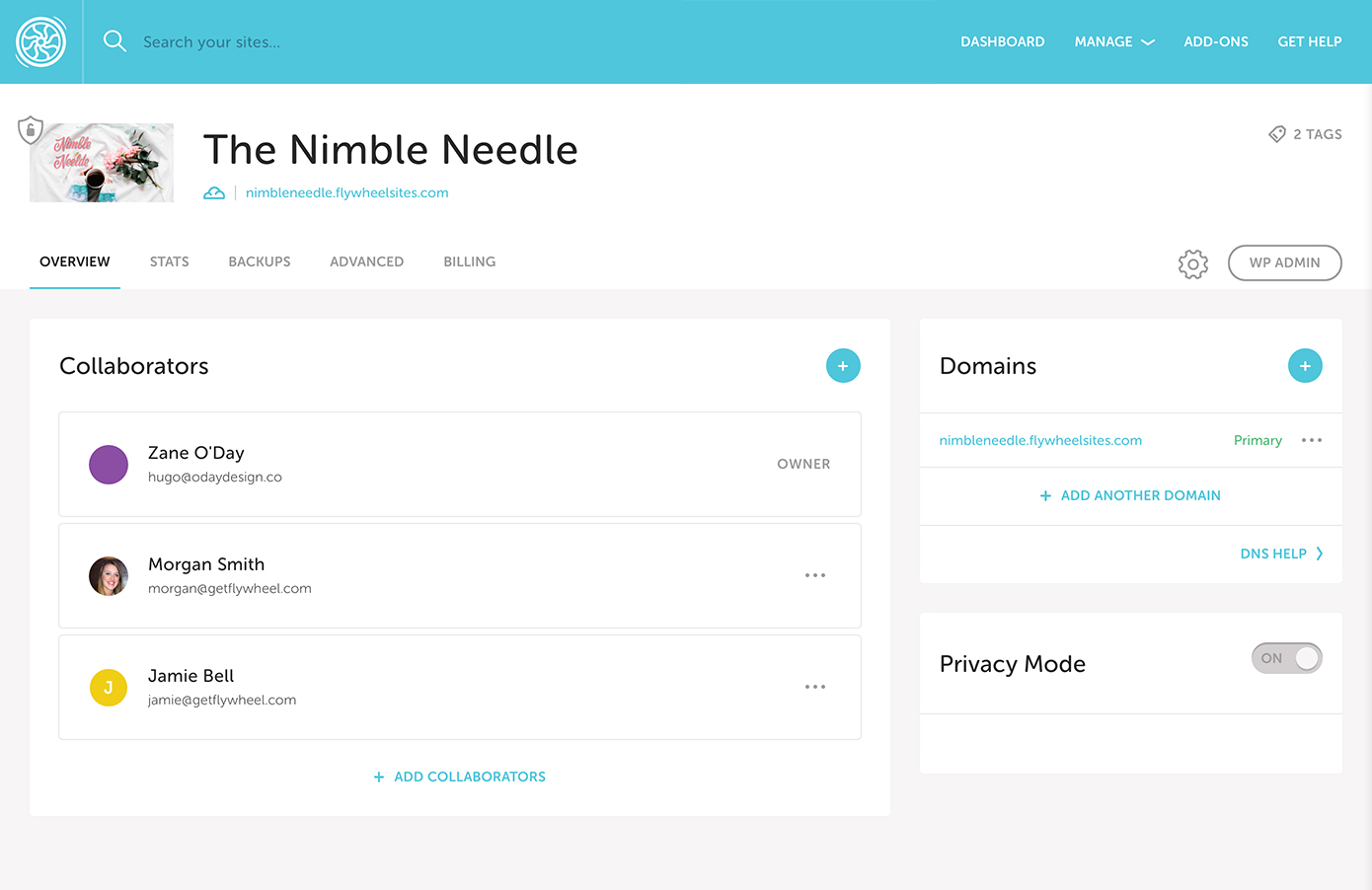
The collaboration features are where Flywheel differentiates itself. You can invite clients to view their site’s dashboard without giving them access to billing or technical settings. Collaborators can see analytics, request changes, and manage basic content — all through an interface that does not overwhelm non-technical users.
Demo sites are another standout feature. You can build a site on Flywheel’s free demo infrastructure, share a preview link with your client, and only convert it to a paid plan once the client approves. This solves a real problem for freelancers: no more paying for hosting during the design phase or running local demos over screen shares.
Security & Backups
Nightly automatic backups are included on all plans, with one-click restore. You can also create manual backups before making changes. Backup retention is 30 days on paid plans.
Security includes free SSL certificates, malware scanning, firewall protection, and automatic WordPress core updates. Flywheel also offers hack-repair assistance — if your site is compromised, their team will help clean it up.
The security setup is comparable to other managed WordPress hosts. Nothing groundbreaking, but the basics are covered well. For client sites that need advanced security (WAF rules, bot management), you will want to add Cloudflare or Sucuri in front.
Pricing
Flywheel’s pricing is straightforward. The Tiny plan starts at $15/month for one site, 5,000 monthly visits, and 5GB storage. The Starter plan at $30/month bumps you to 25,000 visits and 10GB. The Freelance plan at $115/month covers ten sites.
Starting at $15/mo — One WordPress site, 5,000 monthly visits, 5GB storage, free SSL, CDN, staging, and nightly backups
The pricing is reasonable for the target audience but not the cheapest option. The Tiny plan is very limited on visitors and storage — most freelancers will quickly outgrow it and move to Starter. At $30/month for a single site, you are in the same territory as Kinsta’s Starter plan, which offers better performance and more visits.
Where Flywheel wins on pricing is the billing transfer feature. You build the site on your account (at your cost), then transfer the billing to the client. The client pays Flywheel directly, removing you from the monthly hosting conversation. For freelancers tired of playing hosting intermediary, this alone can justify the platform choice.
Migration Experience
Flywheel offers free migrations handled by their team. You submit a migration request through the dashboard, and they handle the technical process. Our test migration (a standard WordPress business site from SiteGround) was completed within 24 hours.
The migration plugin option is also available for DIY transfers. It works well for straightforward WordPress installations. Complex sites with custom server configurations may need the assisted migration.
The Local development app (which Flywheel created and now shares with WP Engine) integrates directly with Flywheel hosting. You can pull a live site into Local for development and push changes back — a smooth workflow that eliminates the need for manual file transfers during the development process.
Customer Support
Flywheel offers live chat support 24/7, and the quality is good. Agents are WordPress-knowledgeable and can help with hosting-specific issues, basic WordPress troubleshooting, and migration questions. Since the WP Engine acquisition, the support team has expanded and response times have improved.
Phone support is not available on standard plans. The live chat is the primary channel, supplemented by a ticketing system for complex issues. Email support is available for non-urgent questions.
The knowledge base is well-maintained and includes tutorials specifically geared toward designers and freelancers — a nice touch that reflects Flywheel’s understanding of its audience. You will find articles on client management, project handoffs, and workflow optimization alongside the standard hosting docs.
Who Should Use Flywheel?
Freelance web designers who build WordPress sites for clients will find Flywheel’s workflow tools genuinely useful. The billing transfer, demo sites, and client collaboration features solve real business problems.
Small creative agencies (two to five people) can use the Freelance or Agency plans to manage multiple client sites with team access controls and a shared dashboard.
WordPress developers who use Local for development will appreciate the seamless integration with Flywheel hosting. The local-to-live workflow is one of the smoothest available.
Flywheel is not the right fit for high-traffic content sites (Kinsta is better), agencies managing 20+ sites (Cloudways is more economical), or anyone who needs raw performance above all else. It also lacks email hosting and domain registration, so you will need separate services for those.
Final Verdict
Flywheel earns its place in the managed WordPress market by solving specific workflow problems for designers and freelancers. The billing transfer feature, demo sites, and client collaboration tools are not gimmicks — they address real pain points in the web design business. Performance is competent if not exceptional, and the dashboard is a genuinely pleasant environment to work in. If you build WordPress sites for clients, Flywheel deserves serious consideration. If you are looking for maximum performance per dollar or managing large site portfolios, Cloudways or Kinsta will serve you better.
Reviewed by the Best Hosting Stack Team
Web hosting & WordPress infrastructure specialists · Published March 27, 2026