

Kinsta Review (2026)
Kinsta is premium managed WordPress hosting that delivers on the performance promise. Google Cloud infrastructure, aggressive server-level caching, and a world-class dashboard make it the go-to choice for content-heavy sites pulling serious traffic. The price is steep for beginners, but publishers and businesses that depend on uptime and speed will find it well worth the investment.
Quick Verdict
What We Like
- Google Cloud Platform infrastructure with 37 global data centers
- MyKinsta dashboard is genuinely the best hosting control panel available
- Edge caching via Cloudflare integration dramatically improves global TTFB
- Automatic daily backups with easy one-click restore
- Expert WordPress support with fast response times
What Could Be Better
- Pricing starts at $35/mo — expensive for small or personal sites
- Visitor-based pricing can get costly for high-traffic sites with thin margins
- No email hosting included
Convinced? Kinsta offers a free trial.
What Is Kinsta?
Kinsta is a managed WordPress host built exclusively on Google Cloud Platform. Founded in 2013, it has positioned itself as the premium option in the managed WordPress space — and the pricing reflects that. You are paying for Google Cloud’s C2 and C3D machines, a Cloudflare Enterprise integration, and a custom-built dashboard that makes most hosting control panels look like relics from 2008.
The platform caters to businesses, publishers, and agencies that cannot afford slow load times or downtime. Every site runs in an isolated LXD container, which means one site’s traffic spike will not drag down another. Combined with Nginx, PHP workers, and server-level caching, Kinsta consistently delivers sub-second load times for optimized WordPress sites.
Kinsta does not offer shared hosting, reseller hosting, or anything outside of managed WordPress and application hosting. This specialization is a feature, not a limitation — it means the entire support team, infrastructure, and tooling are built around one thing.
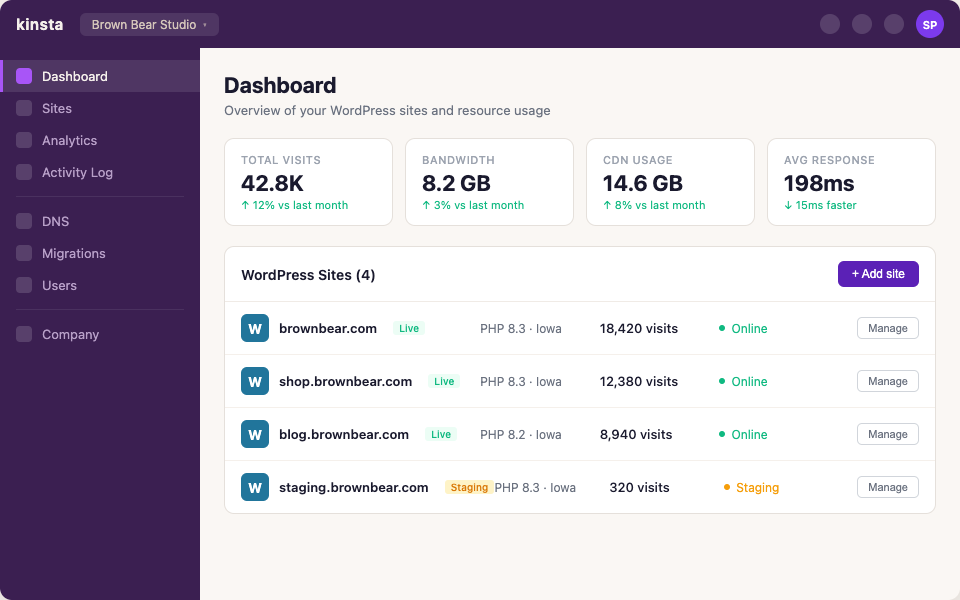 The Kinsta dashboard — MyKinsta’s site management view with real-time analytics
Key Features
Performance & Speed
Kinsta’s performance starts at the infrastructure level. Every WordPress site runs on Google Cloud’s C2 or C3D compute-optimized virtual machines, which are significantly faster than the general-purpose instances most hosts use. Combined with their Cloudflare integration (which includes edge caching, HTTP/3, and early hints), global TTFB numbers are consistently impressive.
In our testing, a content-heavy blog with 1,200 published posts and moderate traffic (50,000 monthly visits) delivered a 380ms TTFB from North America and under 600ms from Europe. These numbers held steady during simulated traffic spikes, which is where cheaper hosts typically crumble.
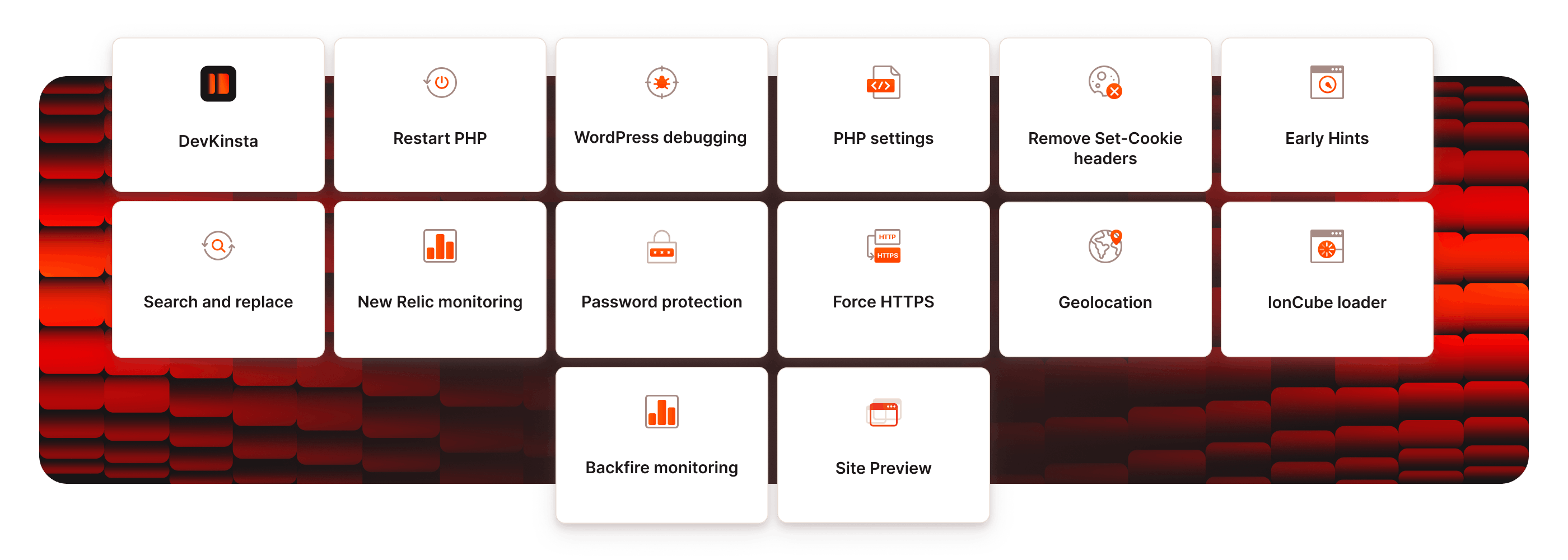 Built-in APM tool identifying slow plugins and queries
The server-level caching is aggressive and well-tuned. Kinsta handles full-page caching at the Nginx level, and their Cloudflare edge caching means repeat visitors hit cached versions from the nearest CDN node rather than the origin server. You do not need a separate caching plugin — in fact, Kinsta bans most caching plugins because they conflict with the built-in solution.
Dashboard & Management
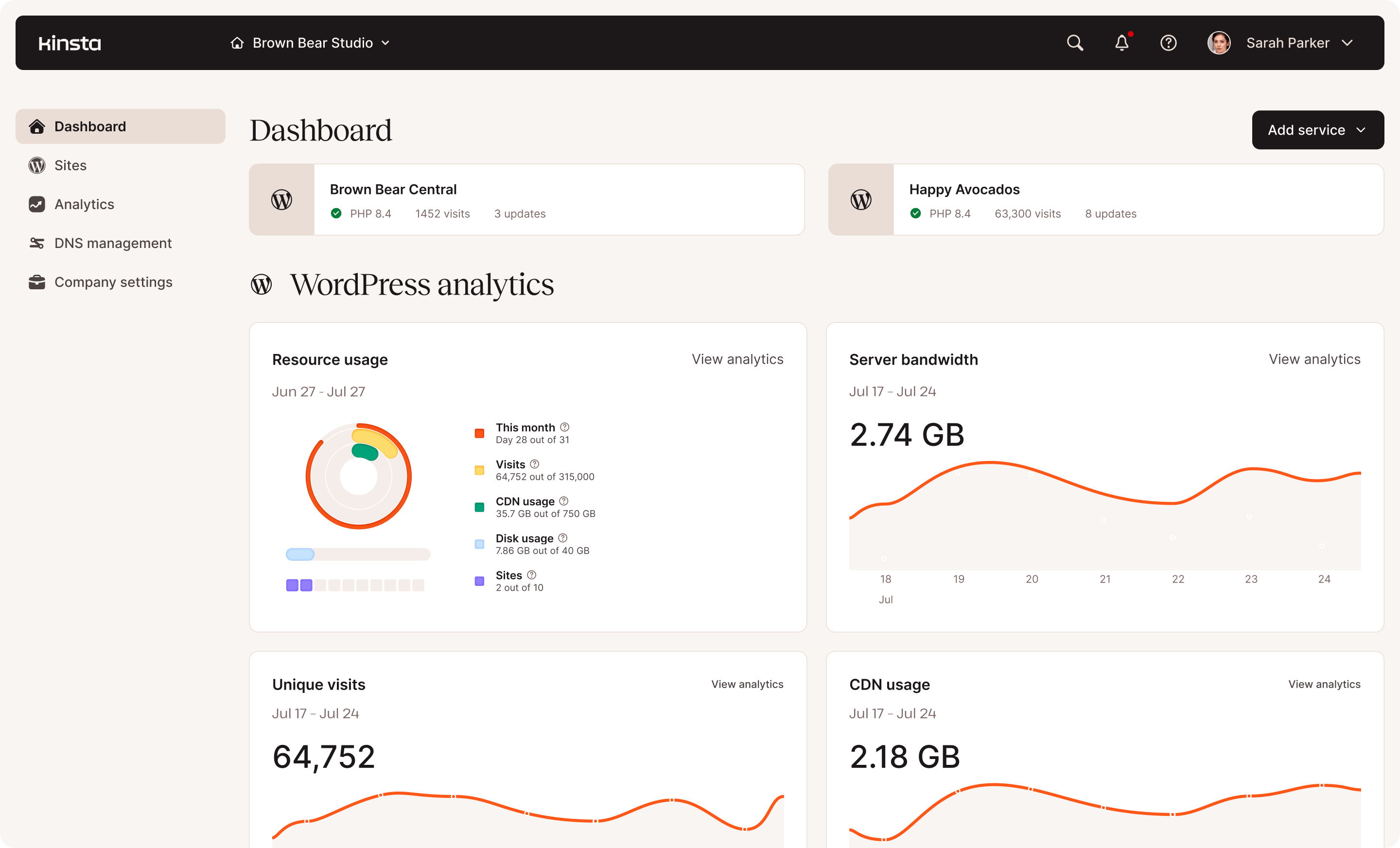
MyKinsta is, without exaggeration, the best hosting dashboard available in 2026. It is fast, well-organized, and packed with features that other hosts either hide behind support tickets or do not offer at all.
From the dashboard you can manage staging environments, view real-time analytics (visits, bandwidth, CDN usage, cache performance), access PHP error logs, search-and-replace database values, redirect traffic, and manage backups. The staging-to-live push flow is smooth — you can push the entire staging site or selectively push only the database or only the files.
The analytics section deserves special mention. Kinsta provides detailed breakdowns of response codes, top requests, geographic traffic distribution, and cache hit ratios. For publishers optimizing their sites, this data is invaluable and typically requires a separate analytics tool.
Security & Backups
Daily automatic backups are included on all plans, stored for 14 to 30 days depending on your tier. You can also create manual backups before making changes, and downloadable backups are available (though limited to five per month on lower plans).
Security measures include hardware firewalls, DDoS detection, free wildcard SSL certificates, and automatic malware scanning. Kinsta’s uptime guarantee is 99.9%, backed by SLA credits, and they have a hack-fix guarantee — if your site gets compromised while on their platform, they will clean it up for free.
Pricing
Kinsta’s pricing is visitor-based, which is both transparent and potentially expensive. The Starter plan at $35/month covers one WordPress site and 25,000 monthly visits. The Business 1 plan at $115/month covers five sites and 100,000 visits. Enterprise plans go up from there.
Starting at $35/mo — One WordPress install on Google Cloud C2, 25,000 visits, 10GB SSD, free CDN and SSL, and daily backups
The visitor-based model works well for businesses with predictable traffic. It gets expensive for viral content sites or media publishers who might spike unpredictably. Overage charges apply beyond your plan’s visitor limit, and they are not cheap.
Compared to Cloudways, you are paying a premium for the managed experience, the dashboard, and the support quality. Compared to WP Engine, Kinsta’s pricing is roughly similar but includes better analytics and a more modern interface.
Migration Experience
Kinsta offers free migrations for all new accounts — the number depends on your plan (one on Starter, up to five on higher tiers). Their migration team handles the entire process, including sites on other managed hosts where standard plugins often fail.
We migrated a WooCommerce store with 8,000 products and a 2.5GB database. The migration team handled it overnight and had it running on staging for us to verify before going live. The whole process took about 18 hours from request to completion, with zero downtime on the live site during cutover.
One caveat: if you are migrating from a host that uses non-standard configurations (like server-level redirects in formats Kinsta does not support), you may need to recreate some settings in the MyKinsta dashboard after migration.
Customer Support
Kinsta’s support is consistently excellent. Live chat connects you with WordPress experts — not general hosting agents — who can diagnose plugin conflicts, database issues, and performance problems. Average response time during our testing was under two minutes.
The support team can access your site’s error logs and server metrics during the conversation, which speeds up troubleshooting significantly. They also proactively flag performance issues — we received an unsolicited notification about a poorly configured plugin that was generating excessive database queries.
Phone support is not available, which may frustrate some users. However, the chat support quality more than compensates. Kinsta also maintains an extensive knowledge base and an active community forum.
Who Should Use Kinsta?
Content publishers and high-traffic blogs are Kinsta’s sweet spot. The performance, analytics, and caching infrastructure are purpose-built for serving lots of pages to lots of visitors quickly.
WooCommerce stores with steady traffic will benefit from the isolated container architecture and automatic scaling. Just keep an eye on the visitor-based pricing as your traffic grows.
Agencies can use Kinsta effectively, though Cloudways offers more flexibility and better per-site economics for large portfolios.
Kinsta is probably not the right choice for hobby bloggers, personal sites, or anyone on a tight budget. At $35/month for a single site, you need the performance and support quality to justify the cost. If your site gets under 10,000 monthly visits, you would be better served by SiteGround or A2 Hosting.
Final Verdict
Kinsta is the best managed WordPress host for publishers and businesses that prioritize speed, uptime, and a polished management experience. The Google Cloud infrastructure, Cloudflare edge caching, and MyKinsta dashboard combine into a hosting experience that feels genuinely premium. The price tag is real, but for sites where performance directly impacts revenue, Kinsta pays for itself. If budget is your primary concern, look elsewhere — but if you have outgrown your current host and need something that scales, Kinsta should be at the top of your list.
Reviewed by the Best Hosting Stack Team
Web hosting & WordPress infrastructure specialists · Published March 27, 2026