

Pressable Review (2026)
Pressable is a solid managed WordPress host that benefits from its position inside the Automattic family. The included Jetpack features, WordPress.com infrastructure, and close integration with the WordPress ecosystem make it a natural home for WordPress purists. Performance and support are good but not exceptional, and the platform lacks the standout features that would justify choosing it over Kinsta or Cloudways for most users.
Quick Verdict
What We Like
- Jetpack Security and Jetpack AI included free on all plans
- Built on WordPress.com infrastructure — the same platform powering millions of sites
- Generous site and visit allocations compared to similarly priced competitors
- Collaborative staging and cloning tools for development teams
- Strong WordPress Core integration and early access to WordPress updates
What Could Be Better
- Brand awareness is low — less community ecosystem and fewer third-party integrations
- Dashboard is functional but unremarkable compared to MyKinsta or Cloudways
- Limited data center locations compared to global cloud hosts
Convinced? Pressable offers a free trial.
What Is Pressable?
Pressable is a managed WordPress hosting company owned by Automattic — the company behind WordPress.com, WooCommerce, Jetpack, and the WordPress open-source project. This lineage gives Pressable a unique position in the hosting market: it is the managed WordPress host built by the people who build WordPress.
The platform runs on Automattic’s infrastructure, the same systems that power WordPress.com and its millions of sites. This gives Pressable access to infrastructure optimizations and WordPress Core integrations that third-party hosts cannot easily replicate.
Pressable has been around since 2010 (originally as ZippyKid before being acquired by Automattic in 2014), but it has never achieved the brand recognition of Kinsta, WP Engine, or even Flywheel. This is partly because Automattic’s marketing focus has historically centered on WordPress.com and Jetpack rather than Pressable. The result is a hosting platform that is better than its reputation suggests but struggles to stand out in a crowded market.
 The Pressable dashboard — Site overview with Jetpack Security integration
Key Features
Performance & Speed
Pressable delivers reliable performance on Automattic’s infrastructure. Sites run in containerized environments with PHP 8.x support, server-level caching, and a global CDN. In our testing, a standard WordPress blog with 15 plugins and a page builder loaded in 1.7 seconds — slightly faster than SiteGround but behind Kinsta and Cloudways.
 Automattic for Agencies partnership dashboard
The server-level caching handles most performance optimization automatically. Pressable configures caching at the edge and origin level, so you do not need a separate caching plugin. The CDN is built into the platform rather than being a Cloudflare bolt-on, which simplifies the setup.
Performance consistency is good. Over a 60-day monitoring period, we saw stable response times with minimal variation. There were no significant slowdowns during traffic spikes, though we tested moderate traffic levels (around 30,000 monthly visits). High-traffic sites should perform well based on the infrastructure, but we would recommend Kinsta for sites where every millisecond matters.
One advantage of the Automattic connection: Pressable gets early access to PHP and WordPress Core optimizations. When WordPress 6.7 introduced performance improvements to the block editor, Pressable sites saw the benefits before many competing hosts had even updated their environments.
Dashboard & Management
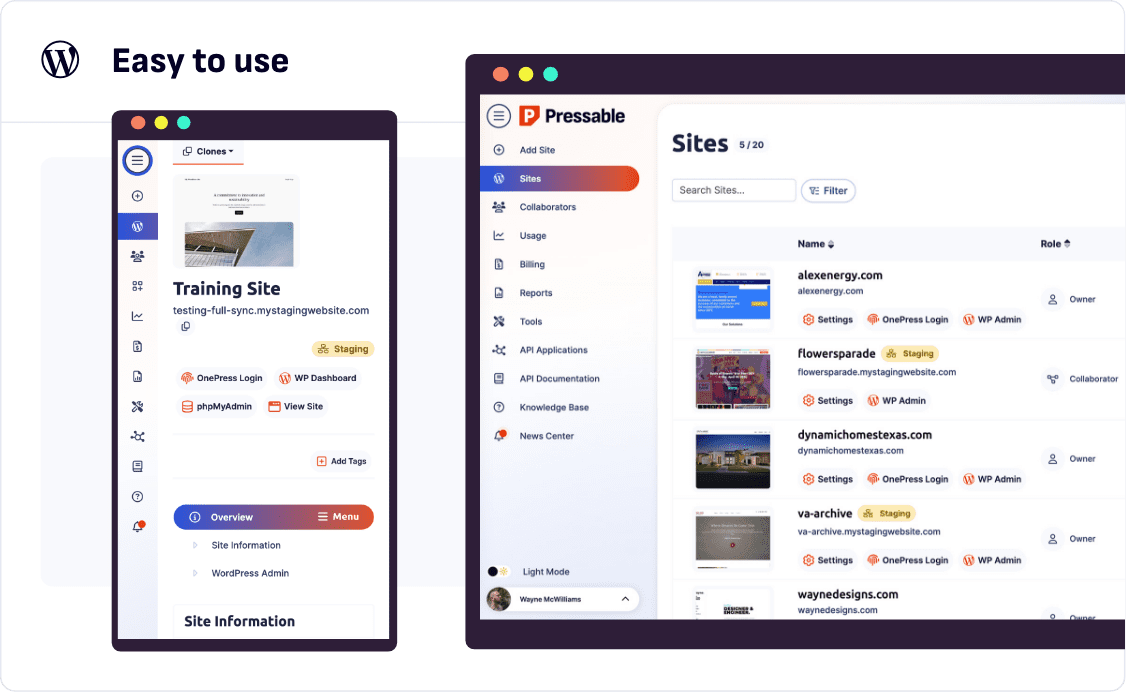
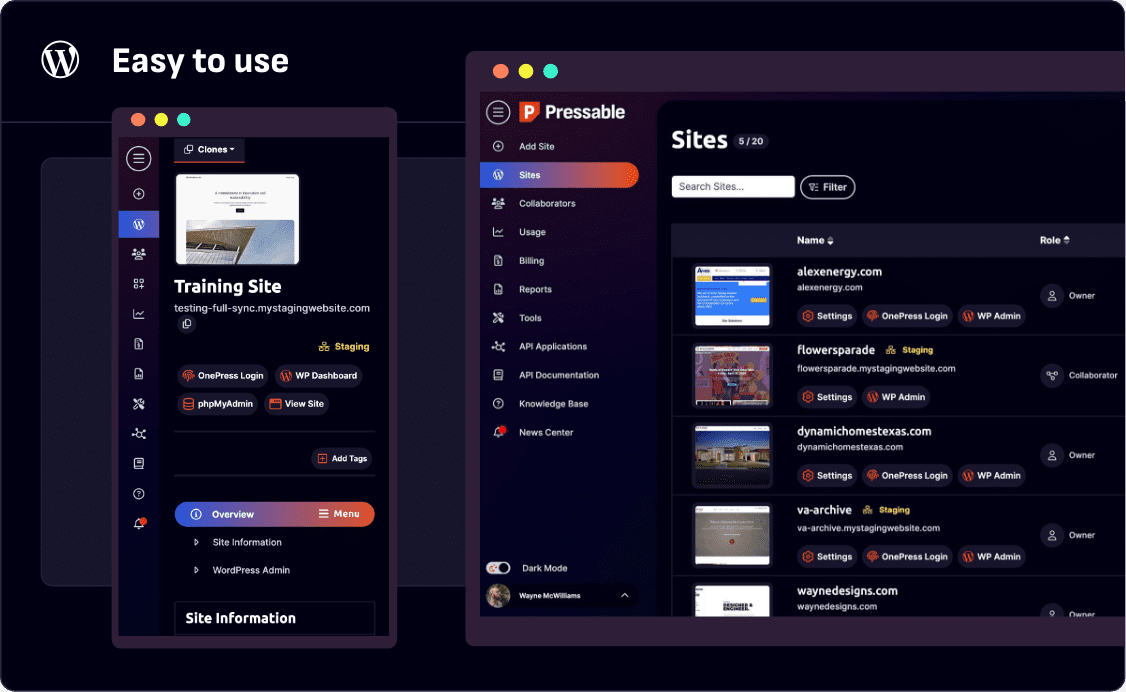
The Pressable dashboard handles the essentials: site management, staging environments, backup restoration, SSL configuration, and DNS settings. It is clean and functional but lacks the analytics depth of Kinsta’s MyKinsta or the visual polish of Flywheel’s dashboard.
Staging sites can be created with one click and pushed to production. The workflow is straightforward and supports selective pushing (database, files, or both). Cloning existing sites is also simple, which is useful for agencies spinning up similar client sites.
The Jetpack integration is seamlessly baked in. Jetpack Security (normally $9.95/month) is included free on all plans, providing automated malware scanning, real-time backups, and spam protection. Jetpack AI (for content generation and translation) is also included. If you already use Jetpack heavily, this bundled value is significant.
The dashboard also includes collaboration features for teams, including role-based access controls and the ability to manage multiple sites from a single view. These features work well but are not substantially different from what Kinsta, WP Engine, or Cloudways offer.
Security & Backups
Security on Pressable benefits from the Automattic infrastructure and the included Jetpack Security suite. You get real-time backups (not just daily snapshots), automated malware scanning, one-click restores, and activity log tracking that shows exactly who changed what and when.
The real-time backup feature is genuinely valuable for sites with frequent content changes or active WooCommerce stores. While most managed hosts offer daily backups, Pressable (via Jetpack Backup) captures every change as it happens, so you can restore to any point in time rather than the last daily snapshot.
Free SSL certificates are included, with automatic provisioning and renewal. DDoS protection and Web Application Firewall rules are managed at the infrastructure level. The security posture is solid and comparable to Kinsta and WP Engine.
Pricing
Pressable’s pricing has become more competitive in recent years. The Personal plan starts at $25/month for one site and 50,000 visits. The Starter plan at $45/month covers five sites and 100,000 visits. Business and enterprise plans scale from there.
Starting at $25/mo — One WordPress site, 50,000 monthly visits, 20GB storage, free Jetpack Security, Jetpack AI, CDN, SSL, and real-time backups
The value proposition improves significantly when you factor in the included Jetpack features. Jetpack Security alone costs $9.95/month if purchased separately, and Jetpack AI adds additional value. A Pressable plan with Jetpack effectively saves you $10-15/month compared to buying hosting and Jetpack separately.
At $25/month for 50,000 visits, Pressable offers more visits than Kinsta’s $35/month Starter plan (25,000 visits) and WP Engine’s $20/month Startup plan (25,000 visits). On a cost-per-visit basis, Pressable is competitive.
The catch is that Pressable’s performance and dashboard experience do not quite match those competitors. You are getting more visits for less money, but the overall hosting experience is a step behind the premium leaders.
Migration Experience
Pressable offers free migrations for all new accounts. The migration team handles the process and typically completes it within 24-48 hours. Standard WordPress and WooCommerce sites migrate smoothly.
An alternative migration path exists through Jetpack Backup. If your existing site uses Jetpack with real-time backups, you can restore that backup directly to a Pressable environment — a clever integration that simplifies migration for existing Jetpack users.
We migrated a WordPress membership site with a custom user registration system. The migration completed without issues, though we needed to manually verify that the membership plugin’s license keys activated correctly on the new domain. The migration team was responsive to questions throughout the process.
Customer Support
Pressable offers 24/7 live chat support. The team is WordPress-knowledgeable and can help with hosting issues, basic plugin troubleshooting, and Jetpack configuration. Response times in our testing averaged three to four minutes — reasonable but slower than Kinsta’s sub-two-minute average.
Phone support is not available on standard plans. Email support is available for non-urgent issues, with response times of four to eight hours during business hours.
The support quality is competent but not exceptional. Agents handle standard WordPress issues well. For complex problems (server configuration, advanced WooCommerce issues, performance debugging), the support experience does not match the depth you get from Kinsta or Liquid Web.
Pressable benefits from access to Automattic’s broader WordPress expertise, though this does not always translate directly to faster or better frontline support. The knowledge base is adequate but less comprehensive than Kinsta’s or WP Engine’s documentation.
Who Should Use Pressable?
WordPress purists who want their hosting to come from the people who build WordPress will appreciate Pressable’s Automattic lineage and tight WordPress Core integration.
Existing Jetpack users get significant value from the included Jetpack Security and AI features. If you are already paying for Jetpack, switching to Pressable effectively reduces your total cost.
Small businesses that need more visits per dollar than Kinsta or WP Engine will find Pressable’s pricing competitive, especially for moderate-traffic sites.
Pressable is not the best fit for users who prioritize dashboard quality (Kinsta wins), developer tooling (Cloudways or A2 Hosting), or WooCommerce-specific features (Liquid Web). It is also not the right choice if you do not use or want Jetpack, since much of the bundled value depends on the Jetpack ecosystem.
Final Verdict
Pressable is a competent managed WordPress host that benefits from its Automattic lineage and Jetpack integration. The included Jetpack Security and AI features add real value, and the pricing is competitive on a cost-per-visit basis. However, the platform lacks the standout performance, dashboard polish, or unique workflow features that would make it a first choice over Kinsta, Cloudways, or WP Engine for most users. If you are embedded in the Automattic ecosystem and want hosting from the WordPress source, Pressable makes sense. For everyone else, the market leaders offer a more compelling overall package.
Reviewed by the Best Hosting Stack Team
Web hosting & WordPress infrastructure specialists · Published March 27, 2026