

SiteGround Review (2026)
SiteGround is the best entry point into quality WordPress hosting. The custom Site Tools dashboard, free site migration, and responsive support make it ideal for small businesses and beginners who want managed features without managed prices. Just brace for the renewal price jump — the introductory rates are aggressive, and the renewal cost is two to three times higher.
Quick Verdict
What We Like
- Introductory pricing starts at just $2.99/mo with managed features
- Custom Site Tools dashboard is intuitive and beginner-friendly
- Free automated WordPress migration plugin
- Excellent live chat support with fast, knowledgeable agents
- Free CDN, SSL, email hosting, and daily backups included
What Could Be Better
- Renewal prices jump to $17.99/mo or higher — a significant increase
- Storage is limited on lower plans (10GB on StartUp)
- Server locations limited compared to cloud-native hosts
Convinced? SiteGround offers a free trial.
What Is SiteGround?
SiteGround is one of the few shared hosting companies that has managed to build a genuinely good reputation in the WordPress community. Officially recommended by WordPress.org since 2017, SiteGround has invested heavily in custom tooling, server optimization, and support quality — distancing itself from the race-to-the-bottom mentality that defines most budget hosts.
The company runs its own custom-built platform on Google Cloud infrastructure, which is a significant upgrade from the traditional shared hosting model. They replaced cPanel with their proprietary Site Tools dashboard in 2019, and the result is a control panel that is cleaner, faster, and more WordPress-aware than anything else in the budget hosting tier.
SiteGround targets small businesses, freelancers, and WordPress beginners who want managed hosting features (staging, caching, security) without paying Kinsta or WP Engine prices. It is a solid middle ground — better performance and support than Bluehost or HostGator, at a fraction of the cost of premium managed hosts.
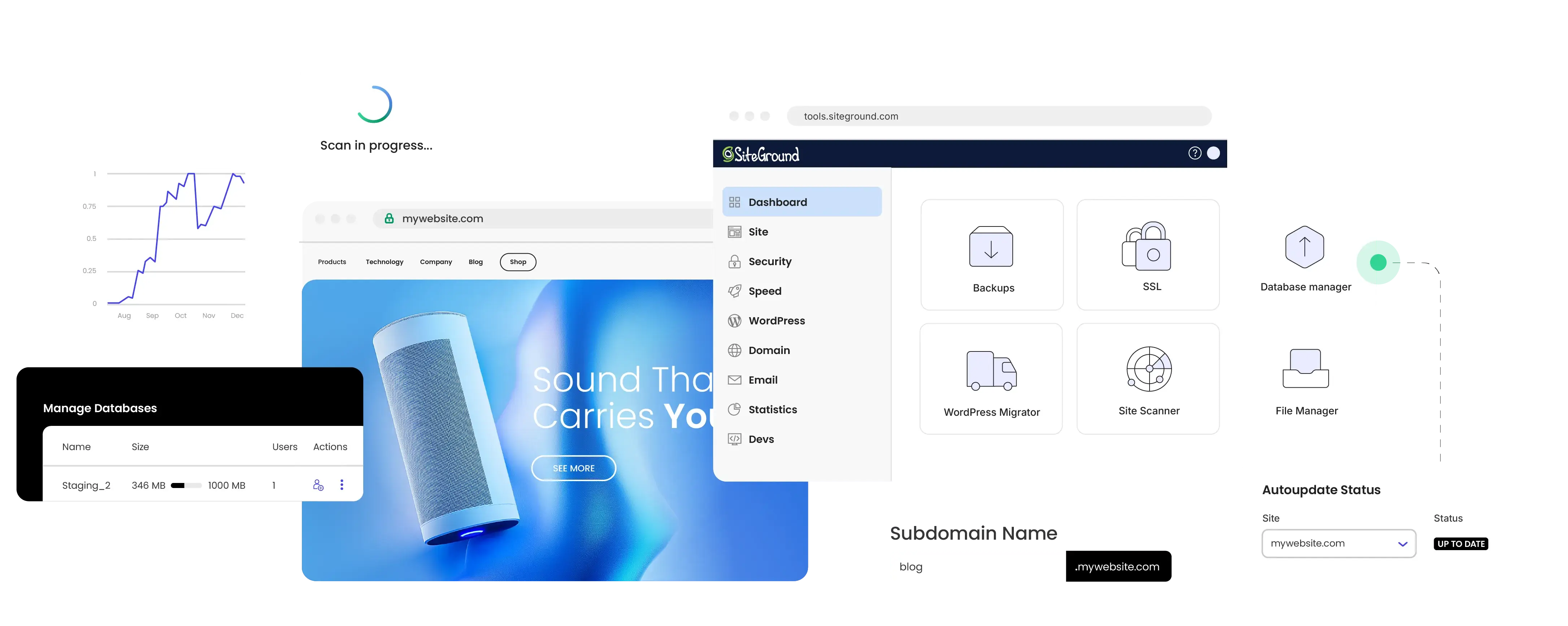
 The SiteGround dashboard — Site Tools control panel with security and speed scores
Key Features
Performance & Speed
SiteGround uses a custom Nginx-based setup with their proprietary SuperCacher technology, which provides three levels of caching: static content, dynamic content (via Memcached), and full-page caching. On their recommended GrowBig plan, all three caching layers are active.
In our testing, a standard WordPress blog with a theme, ten plugins, and about 50 published posts loaded in 1.8 seconds. That is respectable for the price tier. Under load testing (simulating 100 concurrent users), response times increased to about 2.5 seconds — acceptable for small business sites but noticeably slower than dedicated cloud hosts.
The free Cloudflare CDN integration helps with global delivery, though it is the standard free tier rather than the enterprise version you get with Kinsta or WP Engine. For sites serving a primarily local or regional audience, the CDN makes less difference.
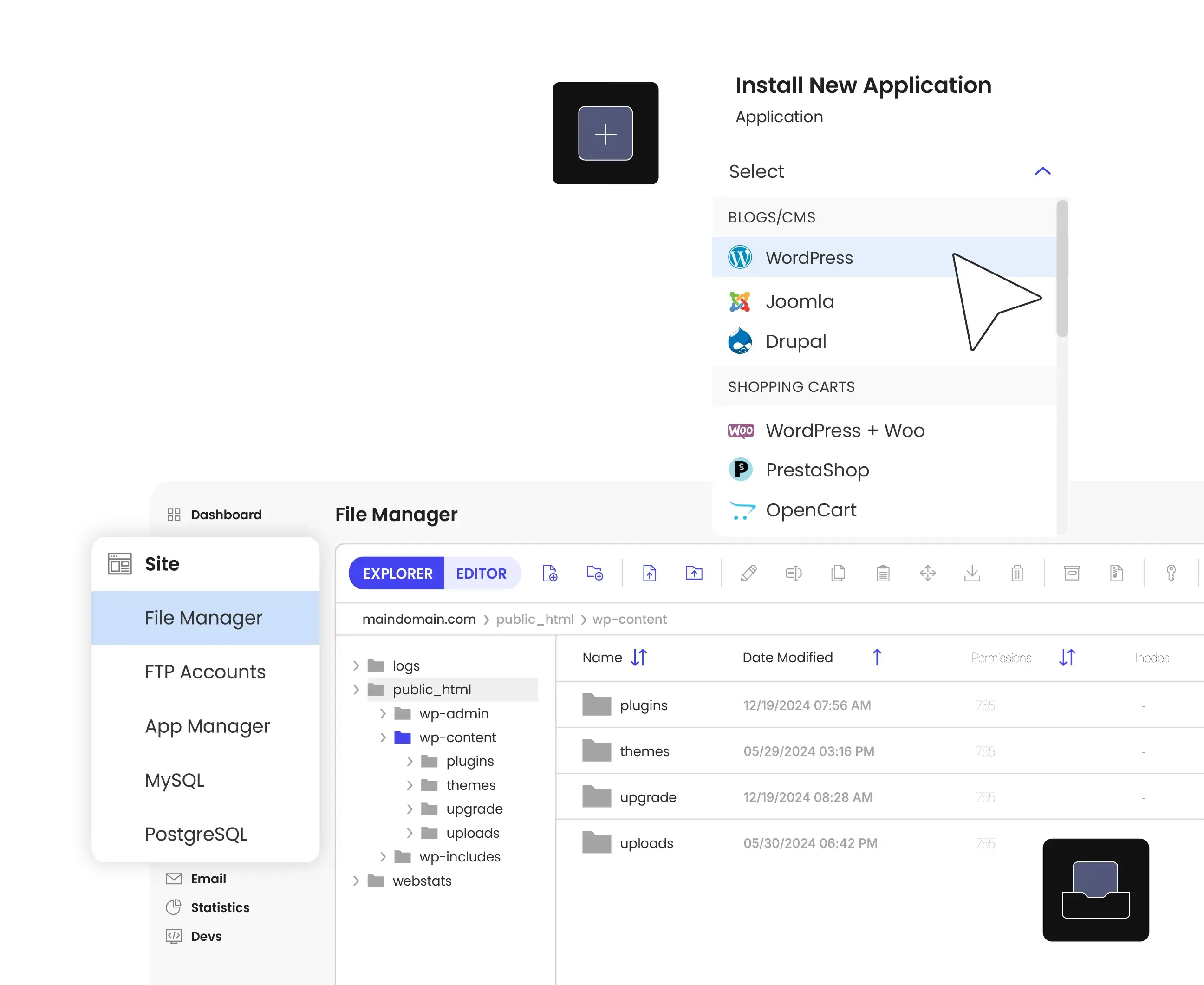 SuperCacher configuration with three caching layers
One honest observation: SiteGround performs noticeably better on the GrowBig plan ($4.99/mo introductory) than the StartUp plan ($2.99/mo). The additional caching layers and resources on GrowBig make a meaningful performance difference. If budget allows, skip StartUp and go straight to GrowBig.
Dashboard & Management
Site Tools is SiteGround’s custom control panel, and it is genuinely good. It is organized around your site rather than around server functions, which makes it much easier for beginners to find what they need. WordPress installation, SSL setup, email configuration, and staging are all accessible from a clean sidebar navigation.
The WordPress management tools include a staging environment (on GrowBig and above), automatic updates with a visual diff showing what changed, and a WordPress CLI interface for advanced users. The staging workflow is straightforward — create a copy, make changes, push to live.
The email management section deserves mention. Unlike most managed WordPress hosts (Kinsta, Cloudways, WP Engine), SiteGround includes free email hosting. For small businesses that need info@yourdomain.com without paying for Google Workspace, this is a genuine value-add.
Security & Backups
SiteGround includes daily automatic backups on all plans, stored for 30 days. You can restore from any backup point with a few clicks. Manual on-demand backups are available too, though limited in number on lower plans.
The security stack includes a custom Web Application Firewall (WAF), AI-powered anti-bot system, free SSL via Let’s Encrypt, and automatic WordPress and plugin updates. SiteGround was one of the first hosts to implement automatic security patching for WordPress core vulnerabilities, often within hours of a CVE being published.
SiteGround Shield, their security monitoring tool, provides a centralized view of security events and blocked threats. It is not as comprehensive as dedicated security services like Sucuri, but it covers the basics well enough for most small business sites.
Pricing
Here is where SiteGround gets complicated. The introductory pricing is excellent — $2.99/month for StartUp, $4.99/month for GrowBig, and $7.99/month for GoGeek. These prices require a 12-month commitment.
The renewal prices tell a different story: $17.99/month for StartUp, $32.99/month for GrowBig, and $49.99/month for GoGeek. That is a three to five times increase, which catches many customers off-guard.
$2.99/mo introductory ($17.99/mo renewal) — One WordPress site, 10GB storage, free SSL, email, CDN, and daily backups — the GrowBig plan at $4.99/mo adds staging and better caching
At renewal prices, SiteGround is still reasonable for what you get — managed features, quality support, and solid performance. But it is no longer a bargain. At $33/month for GrowBig renewal, you are in Kinsta Starter territory, and at that price point, Kinsta offers superior performance and a better dashboard.
The smart play: sign up for a 36-month term at introductory pricing to lock in the low rate for as long as possible. When renewal hits, evaluate whether you have outgrown SiteGround’s shared environment.
Migration Experience
SiteGround offers a free automated migration plugin (SiteGround Migrator) that works with most WordPress sites. You install the plugin on your existing site, enter a token from your SiteGround dashboard, and the plugin handles the transfer. We migrated a standard WordPress business site in about 15 minutes with no issues.
For sites that cannot use the automated plugin (usually due to security restrictions on the source host), SiteGround offers one free professional migration with their concierge team. Additional professional migrations cost a fee.
The migration experience is one of the smoothest in the budget hosting tier. Compared to the manual migration process you get with many cheap hosts, SiteGround’s plugin approach saves significant time and reduces the risk of errors.
Customer Support
SiteGround’s live chat support is consistently rated among the best in the hosting industry, and our experience confirms this. Average wait time was under two minutes, and the agents were able to resolve WordPress-specific issues (plugin conflicts, database optimization, SSL configuration) without escalating.
Phone support is available but limited to certain plans and hours. The live chat is the primary support channel and the one SiteGround has invested most heavily in. A ticketing system is available for non-urgent issues.
The knowledge base is comprehensive and regularly updated, with step-by-step tutorials for common WordPress tasks. SiteGround also runs a WordPress-focused blog and hosts webinars for customers — nice touches that most budget hosts do not bother with.
Who Should Use SiteGround?
Small business owners who need a professional website without a large hosting budget will find SiteGround hits the sweet spot of price, performance, and ease of use.
WordPress beginners benefit from the intuitive Site Tools dashboard, one-click WordPress installation, and responsive support that can walk them through issues.
Freelancers building client sites can use the GrowBig plan to host multiple sites with staging environments, all at a reasonable price point.
SiteGround is not the right choice for high-traffic sites (over 100,000 monthly visits), agencies managing large portfolios, or anyone who needs the raw performance of dedicated cloud infrastructure. At that scale, Cloudways or Kinsta are better investments. SiteGround also becomes less competitive at renewal prices — if budget sensitivity is your primary driver, evaluate A2 Hosting as an alternative.
Final Verdict
SiteGround is the best budget WordPress host for people who care about quality. The Site Tools dashboard, included email hosting, and genuinely helpful support set it apart from the bargain-basement competition. Performance is solid for small to medium sites, and the security features are comprehensive for the price. The renewal pricing is the main drawback — go in with eyes open and plan for the cost increase. For small businesses and beginners getting their first real WordPress site off the ground, SiteGround remains a strong recommendation.
Ready to try SiteGround?
Start with a free trial — no commitment, cancel anytime.
Try SiteGround FreeReviewed by the Best Hosting Stack Team
Web hosting & WordPress infrastructure specialists · Published March 27, 2026