

WP Engine Review (2026)
WP Engine is the hosting platform enterprises and large WooCommerce stores turn to when they need bulletproof reliability, compliance certifications, and developer-friendly tooling. The Genesis framework, Local development app, and automated plugin updates add genuine value. It is not cheap, and the rigid environment frustrates some users, but for businesses where WordPress is mission-critical infrastructure, WP Engine delivers.
Quick Verdict
What We Like
- Enterprise-grade security with SOC 2 compliance and automated patching
- Genesis framework and StudioPress themes included free
- Local by Flywheel development app is best-in-class
- Automated plugin vulnerability detection and updates
- Excellent staging and development workflow tools
What Could Be Better
- Restrictive environment — several popular plugins are banned
- Page visit limits can surprise fast-growing sites
- Support quality has become inconsistent since rapid team scaling
Convinced? WP Engine offers a free trial.
What Is WP Engine?
WP Engine has been in the managed WordPress business since 2010, making it one of the oldest players in the space. Over the years, it has acquired Flywheel, StudioPress (Genesis), and several other WordPress-adjacent companies. The result is a broad platform that covers everything from local development (via the Local app) to enterprise-scale production hosting.
The company targets mid-market and enterprise businesses — organizations that run WordPress as a core part of their digital infrastructure rather than a side project. WP Engine’s pitch revolves around security, compliance, and developer experience. They offer SOC 2 Type II compliance, automated plugin vulnerability management, and a development workflow that includes Git-based deployments and staging environments.
WP Engine runs on Google Cloud Platform and Amazon Web Services, depending on the plan and region. The infrastructure is solid, though the company has traditionally leaned more heavily into tooling and developer experience than raw performance benchmarks — a trade-off that makes sense for their enterprise audience.
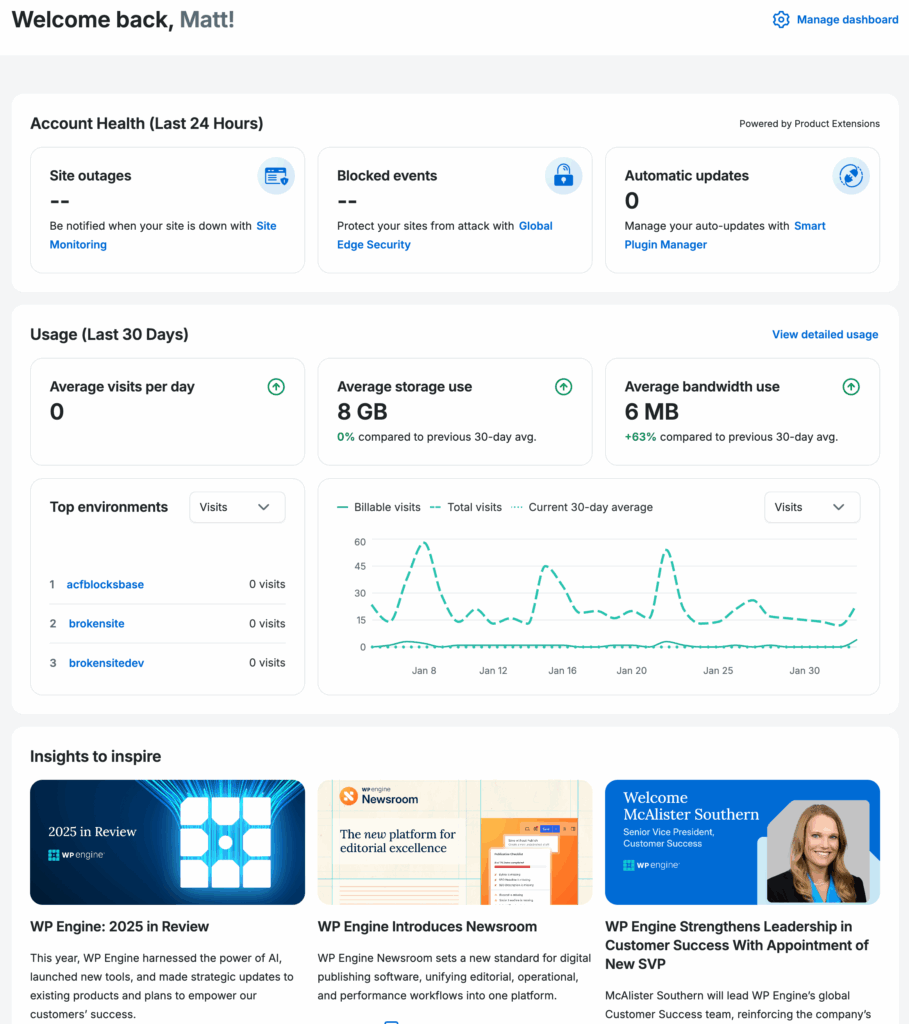
 The WP Engine dashboard — WP Engine’s site overview with environment management
Key Features
Performance & Speed
WP Engine’s proprietary EverCache technology handles server-level caching, and it works well for standard WordPress and WooCommerce sites. In our testing, a mid-sized WooCommerce store (200 products, moderate traffic) loaded in 1.5 seconds from the primary data center. The included Cloudflare CDN improves global delivery, though edge caching performance does not quite match Kinsta’s implementation.
Page speed on WP Engine is good, not exceptional. If you are coming from shared hosting, the improvement will be dramatic. If you are comparing against Kinsta or Cloudways on optimized infrastructure, WP Engine sits slightly behind on raw TTFB numbers. The difference matters for sites where every millisecond counts (high-traffic blogs, media sites) but is negligible for most business sites and stores.
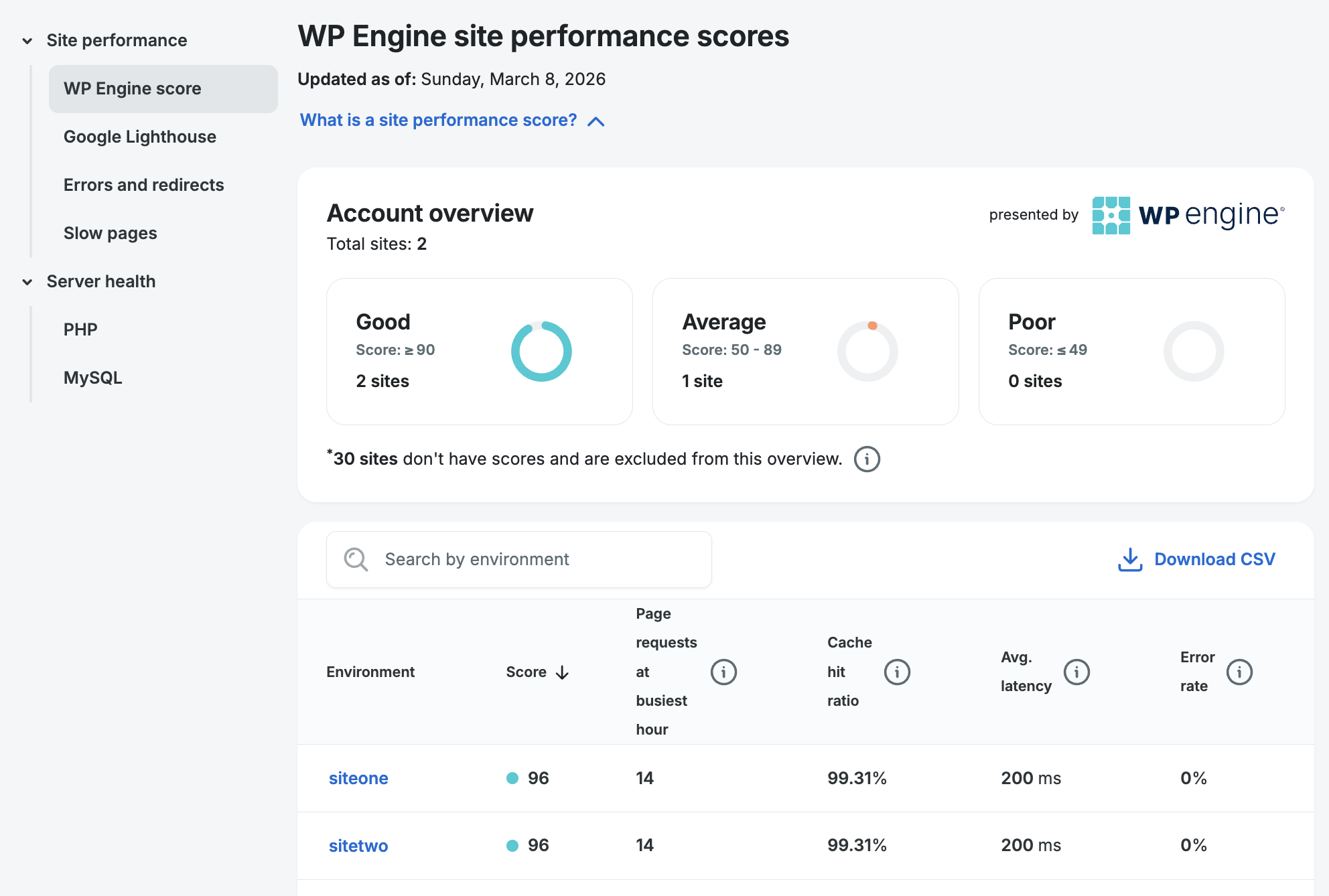 EverCache performance monitoring and Git push deployment
Where WP Engine makes up ground is in consistency. We monitored uptime and response times over 90 days and saw remarkably stable performance — no spikes, no degradation during traffic surges. For enterprises, this predictability is more valuable than shaving 50ms off the average load time.
Dashboard & Management
The WP Engine portal handles site management, billing, user permissions, and development workflows. It is functional but not as polished as MyKinsta. Navigation can feel clunky, especially when managing multiple sites across different environments (production, staging, development).
The staging environment support is solid. You can create staging copies, push changes to production, and even create development environments for testing before staging. The three-tier workflow (development, staging, production) is a genuine differentiator for teams with formal QA processes.
Git-based deployments are supported, and the integration with the Local development app creates a smooth workflow from local development through deployment. If your team uses Local (and many WordPress developers do), the WP Engine connection is seamless.
Security & Backups
This is where WP Engine genuinely shines. Automated daily backups are standard, with on-demand backup creation available anytime. The Global Edge Security add-on (powered by Cloudflare) provides a WAF, DDoS protection, and advanced bot mitigation.
WP Engine’s automated plugin vulnerability management is particularly valuable for enterprises. The system monitors your plugins for known vulnerabilities and can automatically update or even deactivate dangerous plugins before they are exploited. For organizations managing dozens of WordPress sites, this reduces a huge security burden.
SOC 2 Type II compliance, GDPR tools, and PCI-compliant hosting options make WP Engine one of the few WordPress hosts that can satisfy enterprise security and compliance requirements. If your legal team needs to sign off on your hosting provider, WP Engine is one of the easiest conversations to have.
Pricing
WP Engine’s pricing starts at $20/month for the Startup plan (one site, 25,000 visits), jumps to $40/month for Growth (five sites, 50,000 visits), and scales from there. The Scale plan at $150/month covers 15 sites and 100,000 visits.
Starting at $20/mo — One WordPress install, 25,000 monthly visits, 10GB storage, Genesis framework, free SSL, and automated backups
The pricing is competitive on paper, but add-ons can push the total cost up significantly. Global Edge Security costs $30/month, Smart Plugin Manager is $8/site/month, and additional sites beyond your plan limits are $20/month each. An enterprise setup with security and plugin management can easily reach $300-500/month.
Compared to Kinsta at similar price points, WP Engine includes more developer tools but slightly less refined performance and analytics. The Genesis framework and plugin management tools tip the value equation for developers and agencies building custom WordPress solutions.
Migration Experience
WP Engine provides an automated migration plugin and offers free migrations on all plans (the number varies by tier). The plugin handles standard WordPress and WooCommerce installations without issues.
We migrated a complex multisite network from SiteGround, and the process required assisted migration from WP Engine’s team. They handled it competently, though the turnaround was 48 hours — slower than Kinsta’s typical overnight migrations. The site ran smoothly after migration with no broken functionality.
One pain point: WP Engine’s banned plugin list means some sites need adjustments after migration. If you rely on W3 Total Cache, WP Super Cache, or certain other plugins, you will need to remove them and rely on WP Engine’s built-in caching instead.
Customer Support
WP Engine offers 24/7 live chat and phone support on higher-tier plans. The quality has been inconsistent in recent years. Some agents are deeply knowledgeable WordPress experts; others clearly follow scripts and struggle with non-standard issues.
Phone support is a genuine differentiator — most managed WordPress hosts do not offer it. For enterprises that need to escalate issues quickly, having a phone line matters. The premium support tier ($500+/month for enterprise plans) provides dedicated account managers and priority response times.
The knowledge base is comprehensive and well-maintained, covering everything from basic WordPress tasks to advanced deployment workflows. Developer documentation for the API and Git deployment is solid.
Who Should Use WP Engine?
Enterprise organizations that need WordPress hosting with compliance certifications, SLAs, and formal support contracts will find WP Engine is purpose-built for them.
WooCommerce stores benefit from the optimized infrastructure, plugin security monitoring, and the ability to scale without migration headaches.
Development agencies building custom WordPress themes and plugins will appreciate the Local development app, Git integration, and the Genesis framework. The three-tier deployment workflow (development to staging to production) fits professional development processes.
WP Engine is not the best fit for budget-conscious bloggers, small personal sites, or anyone who wants maximum flexibility with plugins. The restricted environment and premium pricing make it overkill for simple WordPress sites. Consider SiteGround or A2 Hosting for those use cases.
Final Verdict
WP Engine is enterprise WordPress hosting done right. The security posture, compliance certifications, and developer tooling justify the premium for businesses that depend on WordPress. The Genesis framework inclusion, Local development app, and automated plugin security management add tangible value that competing hosts do not match. Performance is solid if not chart-topping, and the restricted plugin environment is a reasonable trade-off for stability. If WordPress is your business infrastructure, WP Engine is a safe, defensible choice.
Reviewed by the Best Hosting Stack Team
Web hosting & WordPress infrastructure specialists · Published March 27, 2026